One app. 20 ways to run IT.
/01Twenty core functions, grouped into the four jobs an IT Manager actually does — every function one tap away.
Explore the platformTwenty core functions, grouped into the four jobs an IT Manager actually does — and a named manager who runs them.
The short version. Everything further down expands on these three.
Twenty core functions, grouped into the four jobs an IT Manager actually does — every function one tap away.
Explore the platformStarter is free at any employee count. Growth is $300 a month. No seat minimums and no lock-in — move up only when your team does.
Compare the plansThe one function built for people outside your company — so procurement, quotes and contracts stay in one system instead of scattered across email.
See how vendors plug inCompanies from 10 to 300+ staff run on systems they can't manage informally — but can't yet justify a full-time hire for.
When something breaks, it's unclear who owns fixing it, negotiating with vendors, or deciding what to buy next.
Licences auto-renew, contracts go unrenegotiated, and patching is inconsistent — because nobody tracks it as a system.
The only formal option is a full-time IT Manager — a heavy commitment for a role most SMEs need part-time.
Twenty core functions, grouped into the four jobs an IT Manager actually does. Open a band to see what's inside.
Functions 01–05. The queue, the register and the devices — the things your team touches every day.
Functions 06–10. The layer that keeps the business protected, compliant and recoverable.
Functions 11–14. Where the platform supports the people around the technology — and what comes next.
Functions 15–20. The backbone that keeps data safe, plans ahead, and connects to everything else.
Three of the twenty, up close — the same experience runs through all of them.
Every issue and request is logged, triaged and tracked to resolution — not lost in a shared inbox. Asset and user context is pulled onto every ticket automatically.
Auto-triaged on intake
A live inventory of contracts, licences, renewals and cost — turning drifting spend into one visible page. Renewal alerts land 30 days ahead, so nothing auto-renews by accident.
Renewal alerts 30 days ahead
One glance tells the whole story — risk, spend and open work, always current. A traffic-light summary for non-technical owners, and every number drills down to the detail behind it.
Health score
Built from tickets, patch compliance and spend. Auto-emailed monthly — most owners never need to log in.
Scheduled owner report
Most IT requests never need a manager. Your staff get the same twenty functions on their phone, and the questions that repeat get answered once.
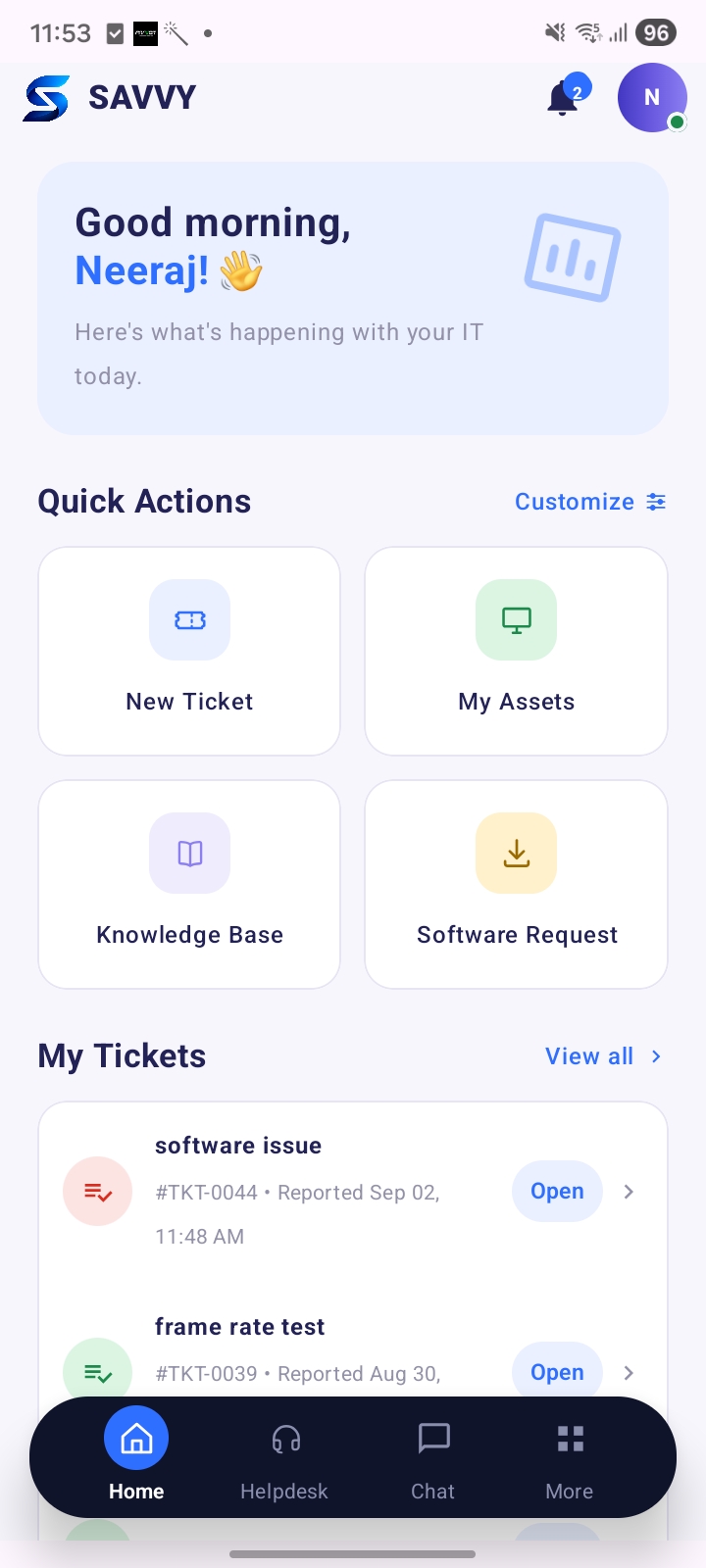
Days, not quarters
Management, not just tickets. Here's what the first month looks like.
We find what you already run — devices, licences, contracts, telco lines, cloud accounts — and put it in one register. Auto-discovery, not manual entry.
One accountable owner for reporting, budget, security hygiene and vendor negotiation — backed by our team, so there's no key-person risk.
Your team gets one place to raise anything. Every request is triaged, tracked and escalated against an SLA instead of disappearing into a chat group.
Inside the first week you get a composite score built from tickets, patch compliance and spend — plus a plain-language monthly report to the owner.
The only function built for people outside your company — so procurement, quotes and contracts stay in one system instead of scattered across email.
Live leads — renewals, RFQs and new inquiries — as they happen.
Transparent, itemised earnings, paid on time.
Self-serve control over pricing, tiers and availability.
Track every deal from introduced through to installed.
Win rate, provisioning speed and SLA uptime.
Licences, certifications and SLA agreements in one place.
No. SAVVYTECH is designed to be used by the business owner. Your named IT Manager owns the technical side — reporting, vendor negotiation, security hygiene and budget — and the dashboard summarises everything in plain language.
Yes — at any employee count. You get the helpdesk, asset and licence tracking, the monthly report, Renewal Manager and technology evaluation. Paid plans add the remote IT Manager, vendor negotiation and the quarterly roadmap.
Days, not quarters. Onboarding is asset discovery, integration with the software you already use, and account provisioning. Most companies see their first health score inside the first week.
They stay. SAVVYTECH manages them rather than replacing them — every contract, licence and renewal goes into one register, and your IT Manager handles renegotiation when renewal dates come up.
No lock-in and no seat minimums. Plans are monthly and priced by headcount band, so the price moves with your team rather than with ticket volume.
Ready when you are
Tell us how many people you have and what's breaking most often. We'll show you what the first month looks like.